 Tyo Susilo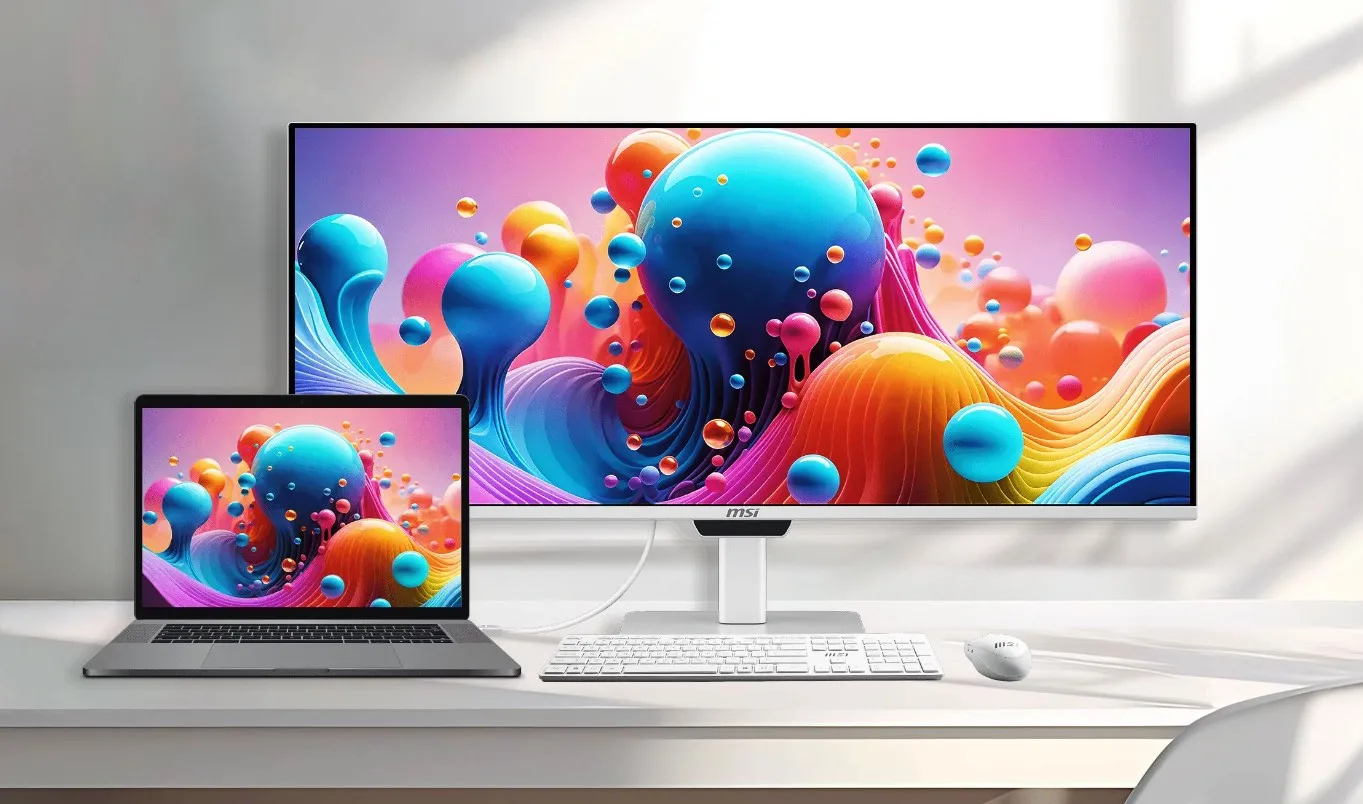
The modern creative workspace often resembles a battlefield of cables, dongles, and peripheral compromises, particularly for professionals embedded within the Apple ecosystem. For years, Mac users utilizing external desktop displays have faced a persistent, low-grade annoyance: the necessity of manually manipulating physical OSD (On-Screen Display) buttons tucked away behind or beneath a monitor simply to adjust core system parameters like display brightness or audio volume. Because macOS traditionally manages external display brightness differently than native Apple displays, third-party monitors have long required awkward workarounds or specialized third-party software utilities just to achieve basic functional harmony. Micro-Star International (MSI), a global leader in high-performance hardware, is seeking to decisively eliminate this ergonomic friction with the introduction of its latest productivity-focused desktop display, the MSI PRO MAX. Designed from the ground up to bridge the gap between Windows-centric hardware and Apple’s stringent software protocols, this ultrawide powerhouse aims to deliver a native, frictionless user experience for Mac owners without sacrificing the visual fidelity demanded by modern content creators, video editors, and digital artists.
Unveiled as a direct response to the unique ergonomic and visual requirements of creative professionals, the MSI PRO MAX steps into a crowded marketplace dominated by gaming-first panels. However, rather than leaning solely into high refresh rates or aggressive styling, MSI has chosen to position the PRO MAX as a sophisticated bridge device. The monitor’s development timeline reflects an industry-wide recognition that a growing segment of high-end desktop users—particularly graphic designers, software engineers, and multimedia producers—rely on MacBooks or Mac desktops as their primary workhorses while demanding expansive, high-contrast desktop screen real estate. By integrating native Mac support directly into the hardware firmware, MSI has bypassed the traditional software layer that often complicates cross-platform display management, setting a new benchmark for how PC hardware manufacturers approach the Apple user base.
At the core of the MSI PRO MAX lies a cutting-edge 34-inch QD-OLED panel, boasting an ultrawide WQHD resolution of 3440 by 1440 pixels and a maximum refresh rate of 144 Hz. While these specifications offer a fluid visual canvas for multitasking, timeline scrubbing, and general office productivity, a closer examination of the panel reveals targeted design choices tailored specifically for text clarity and color accuracy. With a pixel density hovering around 110 PPI, the display does not attempt to match the ultra-high pixel density of Apple’s proprietary Retina displays. Instead, it compensates by adopting an advanced RGB stripe sub-pixel layout. Historically, early-generation QD-OLED panels utilized triangular sub-pixel arrangements that frequently drew criticism from professionals due to "color fringing"—a noticeable chromatic aberration around fine text and high-contrast UI elements. By shifting to an RGB stripe layout on the PRO MAX, MSI successfully mitigates this optical artifact, ensuring that text rendering remains crisp, legible, and strain-free during long writing or coding sessions.

Color reproduction represents another cornerstone of the PRO MAX’s market positioning. MSI’s engineering specifications indicate that the QD-OLED panel achieves an impressive 99 percent coverage of the DCI-P3 color gamut alongside 97.4 percent coverage of the Adobe RGB color space. Out-of-the-box calibration ensures an exceptional color accuracy rating of Delta E less than 2, providing a reliable visual foundation for photographers and digital artists working in color-critical pipelines. Furthermore, the inherent strengths of organic light-emitting diode technology allow the monitor to achieve true blacks and infinite contrast ratios. In High Dynamic Range (HDR) scenarios, the display is rated to peak at a dazzling 1,300 nits across small specular highlight areas, bringing cinematic content to life with striking luminescence. Meanwhile, full-screen Standard Dynamic Range (SDR) brightness is capped at a dependable 300 nits, an optimal threshold for controlled office environments and indoor studios where excessive glare can be managed.
Beyond visual performance, the defining technological achievement of the MSI PRO MAX is its deep software and hardware integration with macOS. Unlike conventional monitors that treat brightness control as an exclusive function of the display’s internal scaler, the PRO MAX communicates bidirectionally with connected Mac systems. This architectural design enables users to seamlessly adjust screen brightness and audio output levels directly through standard macOS keyboard shortcuts or system control panels, completely bypassing the need to fumble with physical toggle buttons or navigate complex OSD menus. Industry analysts note that this level of plug-and-play synchronization has traditionally been restricted to Apple’s own Studio Display or high-end LG UltraFine models. By introducing native macOS compatibility into an ultrawide QD-OLED form factor, MSI has successfully carved out a distinct competitive advantage in the professional productivity sector.
The comprehensive connectivity suite further reinforces the PRO MAX’s role as a central hub for complex, multi-device desktop environments. The rear I/O panel houses two modern HDMI 2.1 ports and a DisplayPort 1.4a interface, ensuring compatibility with a wide array of high-bandwidth video sources, ranging from modern desktop GPUs to professional docking stations. Crucially for laptop-centric Mac users, the monitor incorporates dual USB-C ports featuring DisplayPort Alt Mode. One of these ports delivers up to 98 watts of Power Delivery, allowing demanding MacBook Pro models to charge at full speed while simultaneously transmitting high-resolution video and data over a single cable. The secondary USB-C port provides a supplemental 15W of power delivery for smaller peripherals or accessories.
Additional expansion capabilities include a USB Type-B 3.2 Gen 1 upstream port, four high-speed USB Type-A 3.2 Gen 2 downstream ports for connecting legacy peripherals, and a standard 3.5mm audio jack for wired headphones or desktop speakers. For users juggling multiple machines—such as a personal Mac and a corporate Windows laptop—the built-in KVM (Keyboard, Video, Mouse) switch supports up to three independent devices. This allows professionals to effortlessly share a single keyboard, mouse, and display array across multiple computers without constantly unplugging and re-routing cables.

Aesthetically and structurally, the MSI PRO MAX departs from the aggressive, dark-toned design language typical of the gaming industry, instead adopting a clean, professional white chassis that visually complements modern minimalist desk setups. Integrated audio is handled by dual 3-watt internal stereo speakers, suitable for casual media consumption, video calls, and system notifications. Ergonomics have also been given meticulous attention: the robust included stand supports VESA mounting and offers a height adjustment range of up to 130 millimeters. Users can further fine-tune their viewing posture through 30 degrees of swivel, 10 degrees of pivot, and a tilt range spanning from minus 5 to positive 20 degrees. Additional eye-care technologies, including hardware-level blue light reduction filters, ensure that prolonged daily use minimizes visual fatigue.
The broader market implications of the MSI PRO MAX launch point toward an evolving paradigm in desktop monitor design. As remote work and hybrid professional workflows continue to mature, the boundary between consumer entertainment hardware and professional productivity tools is rapidly blurring. Historically, creative professionals invested in Apple ecosystems felt structurally cornered, forced to choose between proprietary displays that lacked flexible multitasking dimensions or gaming monitors that demanded cumbersome configuration workarounds. By addressing these pain points through native macOS control integration, high-color-accuracy QD-OLED technology, and robust single-cable connectivity, MSI has established a compelling template for future cross-platform peripheral development. As the PRO MAX begins rolling out to global retail channels, it stands as a testament to the growing market demand for hardware that respects the nuances of diverse operating systems, ultimately delivering a more streamlined, efficient, and user-centric desktop experience.