 Tyo Susilo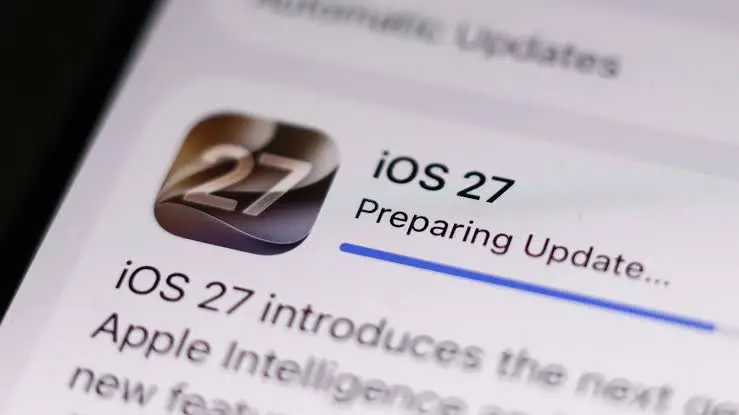
The release of a major operating system update is traditionally met with high anticipation from smartphone users worldwide. Apple’s rollouts, in particular, attract millions of installations within the first twenty-four hours of availability. However, a recurring phenomenon invariably accompanies these digital transitions: a widespread wave of user complaints regarding suddenly diminished battery life. Following the recent deployment of iOS 27, owners of compatible iPhone models across the globe quickly took to social media and tech support forums to report that their devices were losing power significantly faster than usual.
While a rapid depletion of battery capacity immediately following an operating system upgrade can cause understandable frustration and concern regarding hardware degradation, official explanations and technical analyses indicate that this behavior is largely intentional and temporary. Understanding the underlying mechanisms that govern modern smartphone operating systems reveals why these power spikes occur, how long they typically last, and what device owners can do to mitigate the inconvenience.
The Mechanics Behind Post-Update Battery Consumption
When an iPhone successfully downloads and installs a major software revision such as iOS 27, the user interface and visible applications represent only a fraction of the total operations taking place within the hardware architecture. Beneath the surface, the device initiates a massive wave of background processing designed to integrate the new software framework with existing user data, third-party applications, and system configurations.
One of the primary drivers of this temporary power drain is the rebuilding of search indexes via Spotlight. Every photo, document, message, and application stored on the device must be re-indexed so that the operating system can maintain rapid search capabilities. Furthermore, iOS updates frequently introduce new system assets, updated frameworks, and enhanced machine learning models that must be downloaded, unpacked, and integrated into local storage.
In the case of iOS 27, these background tasks are even more intensive due to expanded integrations with Siri and on-device artificial intelligence features. The neural engine and processor cores are tasked with re-evaluating and categorizing vast amounts of personal data to optimize predictive text, contextual suggestions, and intelligent automation routines. Because these operations occur continuously—often persisting even when the screen is locked and the phone is ostensibly idle—the processor draws significantly more current from the lithium-ion battery. Consequently, users frequently notice that their devices feel moderately warm to the touch during the first twenty-four to forty-eight hours post-update, a physical manifestation of sustained processor activity.
Timeline and Duration of the Phenomenon
Technical experts and manufacturer guidelines suggest that this heightened energy consumption follows a predictable timeline. For the vast majority of iPhone users, the most severe battery drain is concentrated within the first twenty-four to forty-हार hours after the installation completes. During this window, core system indexing and foundational data migration take place.
However, the duration of the background processing phase is directly proportional to the volume of data stored on the device. An iPhone utilized primarily for basic communication and web browsing, with minimal local media storage, may complete its post-update optimization within a single day. Conversely, a device carrying tens of thousands of high-resolution photographs, extensive video libraries, large offline music caches, and hundreds of installed applications will require substantially more time for the system to process. For these heavily populated devices, background optimization tasks can persist for up to two or three days.
Apple’s Official Stance and Technical Reassurance
In response to historical and ongoing user inquiries regarding post-update thermal output and battery depletion, Apple has consistently maintained that these symptoms do not indicate a hardware failure or permanent battery degradation. The technology corporation emphasizes that lithium-ion batteries undergo a natural aging process over years of use, but a sudden drop in longevity immediately following a software upgrade is almost exclusively software-driven and transient.
According to technical support documentation and communications from Apple engineers, the device’s power management systems are designed to throttle or prioritize background tasks based on thermal limits and current state-of-charge. Once the operating system finishes cataloging data, updating file structures, and training local AI models, the processor returns to its standard idle states. At that point, power consumption normalizes, and battery endurance frequently surpasses that of previous operating system versions due to underlying code optimizations implemented by Apple developers.

Actionable Mitigation Strategies for Users
Although the post-update power drain is an inevitable consequence of system modernization, users are not entirely powerless to accelerate the stabilization process. Technical advisors recommend several best practices to help an iPhone complete its background maintenance efficiently:
-
Overnight Charging and Wi-Fi Connectivity: Connecting the iPhone to a reliable power source while connected to a stable Wi-Fi network overnight provides an ideal environment for intensive background tasks. During these overnight charging sessions, the operating system can execute heavy indexing, cloud synchronizations, and machine learning model updates without draining the battery or disrupting the user’s daily workflow.
-
Updating Installed Applications: Major operating system updates often necessitate corresponding updates from third-party application developers. Ensuring that all applications are updated to their latest compatible versions via the App Store prevents legacy code from repeatedly crashing or requesting excessive resources from the new iOS 27 framework.
-
Performing a Simple Restart: A routine power cycle can clear temporary system caches, terminate stalled background threads, and re-establish proper communication between hardware drivers and the new operating system software.
Distinguishing Temporary Adjustments from Underlying Issues
A critical challenge for consumers is determining whether a rapid battery drain is merely part of the normal post-update optimization period or the sign of an independent, persistent hardware or software defect. Industry standards suggest establishing a monitoring window of approximately one week.
If an iPhone continues to consume power at an abnormal rate seven days after the installation of iOS 27, the root cause is likely no longer related to system indexing. At this juncture, users should investigate individual application behavior by navigating to the Battery settings menu. This diagnostic interface provides a detailed breakdown of energy consumption by application, highlighting background activity metrics and screen-on time.
Additionally, reviewing location services permissions can reveal whether certain third-party programs are continuously polling GPS hardware in a manner incompatible with the new power-saving protocols of iOS 27. Restricting background app refresh for non-essential software can often resolve these lingering consumption anomalies.
Broader Industry Context and Consumer Implications
The phenomenon of post-update battery drain is not unique to Apple or the iOS ecosystem; it is a universal characteristic of complex mobile operating systems, including Android. As mobile platforms incorporate increasingly sophisticated features—ranging from advanced computational photography and augmented reality frameworks to localized artificial intelligence processing—the computational overhead required to transition between major software versions has naturally escalated.
For consumers, this dynamic underscores a broader educational gap regarding how modern computers and smartphones operate under the hood. While manufacturers continuously strive to streamline installation procedures and optimize background task scheduling, the sheer volume of personal data managed by contemporary mobile devices guarantees that software upgrades will remain resource-intensive events.
Ultimately, while the initial days following an update to iOS 27 may test the patience of mobile device users, the temporary inconvenience is generally a trade-off for the performance enhancements, security patches, and functional innovations introduced in the latest software generation. By recognizing the temporary nature of these power spikes and employing basic optimization routines, users can navigate the transition smoothly and restore long-term efficiency to their mobile devices.